

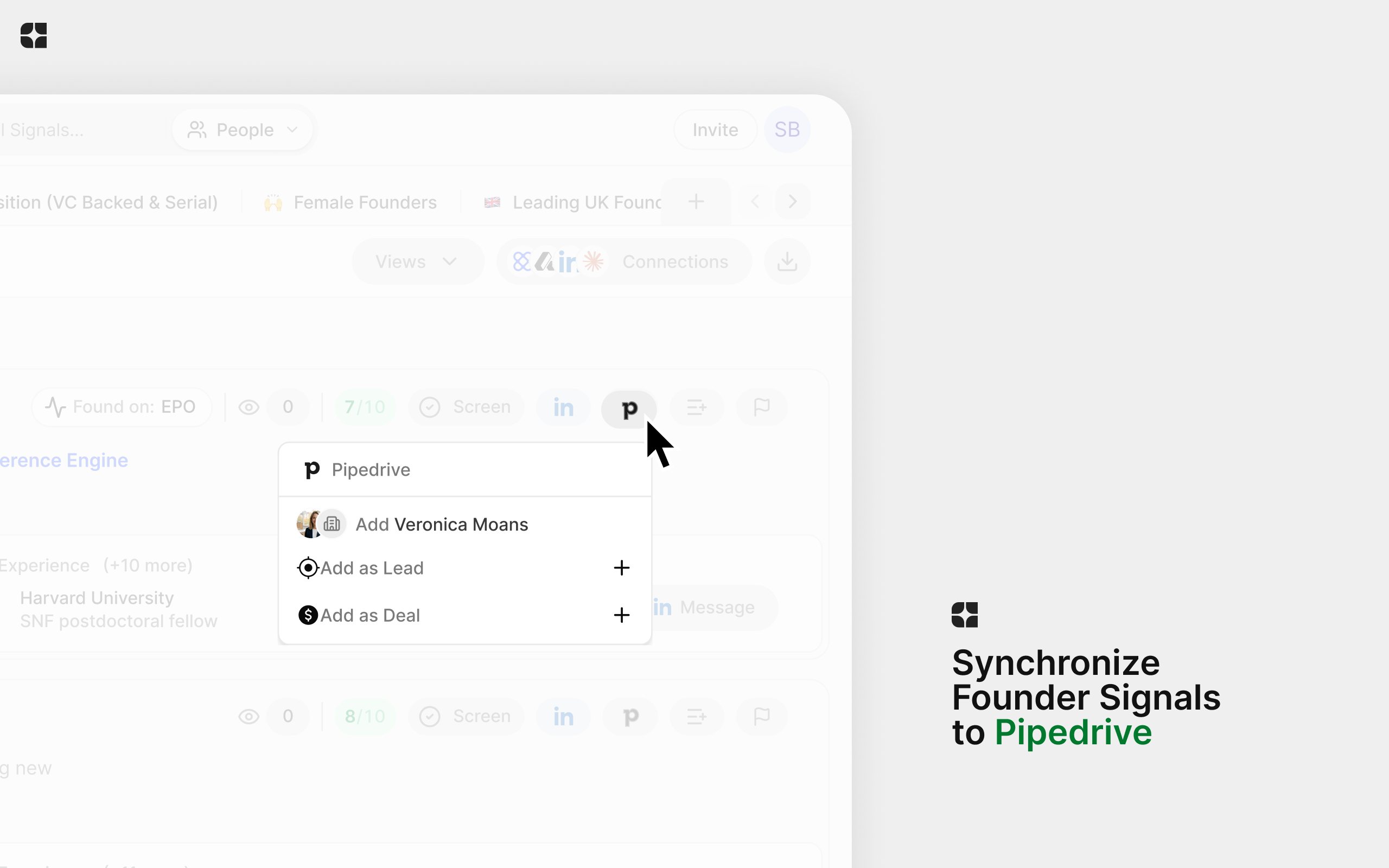
Evertrace now connects with Pipedrive. You can send the founders and companies you find in Evertrace straight to your CRM as Leads or Deals, individually or in bulk.
For teams using Pipedrive to manage their sourcing, this makes it easier to move from finding someone interesting to following up.
From a signal to your pipeline
Found a founder you want to speak with? Open the signal, click the Pipedrive button, and choose Add as Lead or Add as Deal. You can review and edit the record before saving.
If you are working through a shortlist, select multiple signals or list entries and use Add to Pipedrive... to add them in bulk.
Make it fit your workflow
Set a default owner and labels, and choose the pipeline and starting stage for new Deals. You can also map Evertrace properties, such as a founder’s name, email, LinkedIn profile, and company, to your Pipedrive fields, or use fixed values.
That means less time copying information between tools and more time starting conversations.
Get started
In Evertrace, go to Settings → Connections and click Connect on the Pipedrive card. Follow the prompts to authorize the connection, then set your defaults and any field mappings. Choose a pipeline and starting stage before adding your first Deal.
You can find the integration and full setup instructions in the Pipedrive Marketplace.
New to Evertrace? Explore Evertrace to learn more.
The founder detection engine for VCs
AI-powered founder detection with unmatched coverage.
 Book a demo